Housecall Pro vs Jobber: Which Is Right for You?

You're comparing Housecall Pro and Jobber. Smart move - they're two of the biggest names in field service software, and picking the wrong one means months of headaches, data migration nightmares, and money down the drain.
Here's the thing: both are legitimately good platforms. This isn't a situation where one is clearly superior. It's about which one fits your business better.
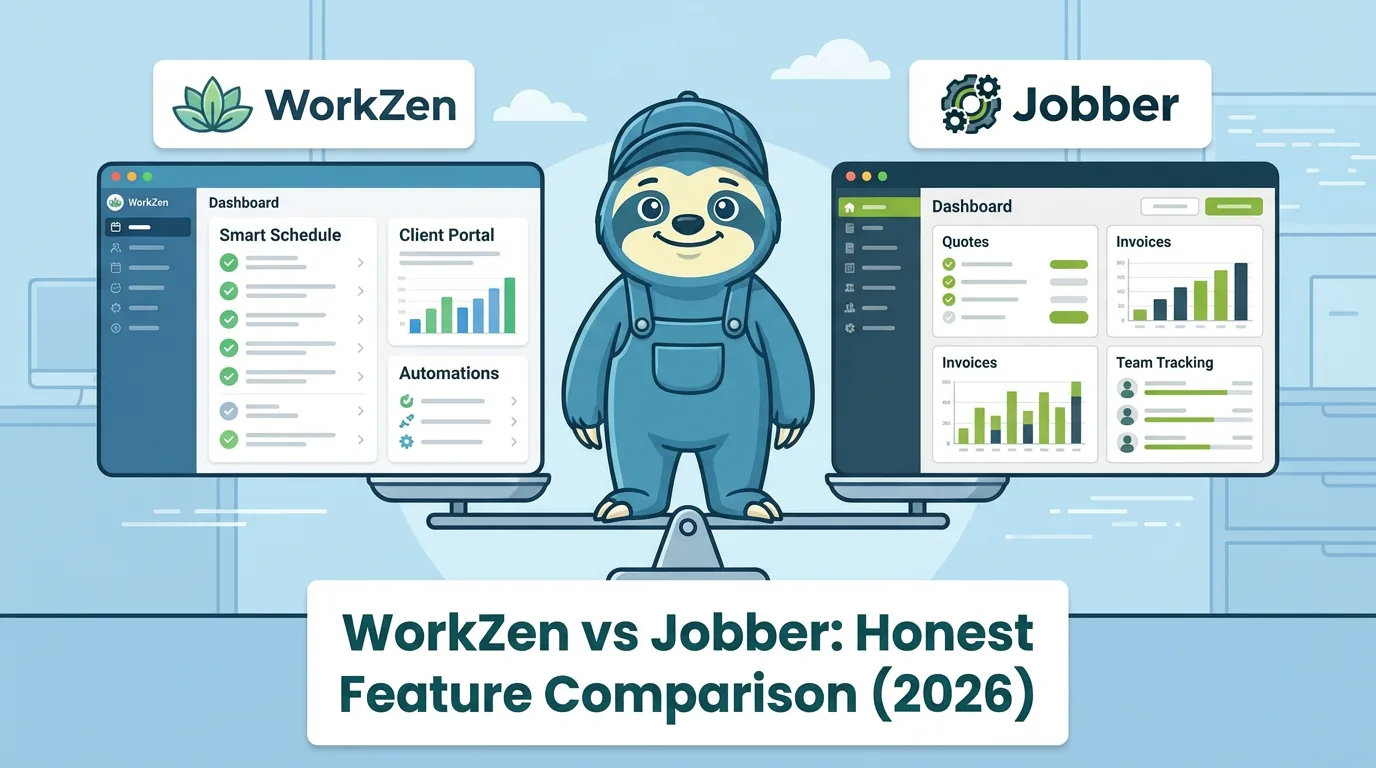
We'll break down the real differences - not the marketing fluff - so you can make an informed decision. And yes, we'll mention where our own product (WorkZen) might be worth considering too. We're biased, but we'll be upfront about it.
The Quick Verdict
Choose Jobber if:
- You're in Canada (better local support and payment options)
- You want simpler, cleaner workflows
- QuickBooks Desktop integration matters
- You prefer straightforward pricing
Choose Housecall Pro if:
- Marketing automation is a priority
- You want built-in postcard campaigns and review management
- You're US-based and want same-day payment deposits
- Consumer financing options matter to your clients
Consider WorkZen if:
- Budget is tight (free plan available)
- You want AI-powered call handling
- You're Canadian and want local-first software
- You don't want to pay for features you won't use
Head-to-Head Comparison
| Feature | Housecall Pro | Jobber |
|---|---|---|
| Starting Price (annual, Sept 2026) | $59/mo, 1 user | $29/mo, 1 user |
| Mid-Tier Price (annual) | $149/mo, 5 users | $149/mo, 5 users (Connect) |
| Top-Tier Price (annual) | $299/mo, 8 users | $399/mo, 15 users (Grow) |
| Free Trial | 14 days | 14 days |
| Free Plan | No | No |
| Extra Users | $35/user/mo on Max | Priced by team size (1, 5, 10, 15 users) |
| Scheduling | Excellent | Excellent |
| Dispatching | Excellent | Excellent |
| Invoicing | Excellent | Excellent |
| Estimates | Good | Excellent |
| Client Portal | Yes | Yes |
| QuickBooks Online | Yes | Yes |
| QuickBooks Desktop | No | Yes |
| GPS Tracking | Add-on | Add-on |
| Marketing Tools | Excellent | Basic |
| Postcard Campaigns | Built-in | No |
| Review Management | Built-in | Basic |
| Automated Follow-ups | Excellent | Good |
| Same-Day Deposits | Yes (Instapay) | No |
| Consumer Financing | Yes (Wisetack) | Yes (Wisetack) |
| Canadian Support | Limited | Strong |
| US Market Focus | Primary | Secondary |
| Mobile App Rating | 4.7 stars | 4.6 stars |
Pricing: The Real Numbers
Both companies love to advertise their starting prices, but let's talk about what you'll actually pay.
Housecall Pro Pricing
| Plan | Annual | Month to month | What You Get |
|---|---|---|---|
| Basic | $59/mo | $79/mo | 1 user, online booking, scheduling and dispatching, quotes, invoicing and payments, review management |
| Essentials | $149/mo | $189/mo | 5 users, + routes, flat-rate pricing, checklists, GPS tracking, QuickBooks Online sync |
| MAX | $299/mo | $329/mo | 8 users, + sales proposal tool, recurring service plans, route optimization, open API |
USD, as of September 2026, from housecallpro.com/pricing. Full breakdown in our Housecall Pro pricing guide.
The catch: Basic is 1 user with no QuickBooks sync. Most growing crews end up on Essentials or higher, and recurring service plans only come with MAX.
Additional costs:
- Extra users: $35/month each on MAX (extra-user pricing on Basic and Essentials is not published)
- Instapay (same-day deposits): Small fee per transaction
- Phone features: Separate pricing
Jobber Pricing
| Plan | Team size | Annual | Month to month | What You Get |
|---|---|---|---|---|
| Core | 1 user | $29/mo | $49/mo | Scheduling, quoting, invoicing with online payments, basic reporting |
| Connect | 1 / 5 / 10 / 15 users | $99 / $149 / $229 / $299 | $139 / $199 / $299 / $399 | + automated reminders, automatic payment collection, QuickBooks Online sync |
| Grow | 1 / 5 / 10 / 15 users | $149 / $229 / $299 / $399 | $199 / $299 / $399 / $499 | + quote add-ons, job costing, two-way SMS, custom automations |
USD, regular prices as of September 2026, from getjobber.com/pricing. The Plus plan is no longer listed; teams above 15 users get a quote.
The catch: Jobber now prices plans by team size, so hiring moves you up a step instead of adding one seat. A 6th person on Connect takes you from $149 to $229 a month on annual billing. And the annual prices Jobber advertises are well below month to month, so compare the column that matches how you will actually pay.
Additional costs:
- Team-size steps: the next tier up every 5 users
- GPS tracking (via third-party integration)
- Payment processing fees
For the seat-by-seat math, including add-ons, see what Jobber costs in 2026.
The Real Comparison
For a 5-person team:
- Housecall Pro Essentials: $149 annual ($189 month to month), 5 users included = $149/month
- Jobber Connect (5 users): $149 annual ($199 month to month) = $149/month
On annual billing it is a tie for a 5-person team as of September 2026, and Housecall Pro is $10 cheaper month to month. So the decision comes down to features: Jobber for QuickBooks Desktop and Canadian support, Housecall Pro if marketing automation matters.
Feature Deep Dive
Scheduling & Dispatching
Housecall Pro: Clean drag-and-drop calendar with color-coded job statuses. Their dispatch board gives you a quick view of who's where and what's next. The recent updates have made the interface more intuitive.
Jobber: Arguably the cleaner interface for scheduling. The calendar view is straightforward, and recurring job scheduling is particularly well-implemented. Route optimization is available but basic.
Winner: Tie - both handle scheduling well. Jobber edges ahead for recurring jobs; Housecall Pro for visual dispatch boards.
Invoicing & Payments
Housecall Pro: Strong invoicing with Instapay for same-day deposits (small fee applies). Their integration with Wisetack lets you offer financing to clients - helpful for big-ticket jobs like HVAC replacements.
Jobber: Solid invoicing with batch invoice creation. Payment processing through Jobber Payments. No same-day deposit option, but competitive processing rates.
Winner: Housecall Pro - Instapay is a genuine differentiator if cash flow matters to you.
Estimates & Proposals
Housecall Pro: Good and bad option estimates. The MAX plan adds proposal templates with images and multiple options. Integration with price books works smoothly.
Jobber: Clean estimate creation with the ability to convert to jobs with one click. The estimate follow-up automation on higher tiers is helpful for closing more jobs.
Winner: Jobber for simplicity, Housecall Pro for fancy proposals.
Marketing Tools
This is where the two platforms diverge significantly.
Housecall Pro: This is their specialty. Built-in postcard campaigns (yes, physical mail), automated review requests, "Comeback Campaign" for re-engaging past clients, and email marketing. If marketing is a weak point in your business, these tools can be valuable.
Jobber: Basic automated review requests. That's about it. They focus on operations, not marketing.
Winner: Housecall Pro by a mile. If marketing automation matters, this is the deciding factor.
Mobile App
Housecall Pro: Polished app with strong payment collection features. Technicians can capture photos, collect signatures, and process payments easily. Some users report occasional sync delays.
Jobber: Reliable workhorse of an app. Good offline functionality for those jobs in basements with no signal. The interface is clean and fast.
Winner: Tie - both are solid. Housecall Pro for payment features, Jobber for offline reliability.
Integrations
Housecall Pro: QuickBooks Online, Google Local Services, Mailchimp, Zapier, and various marketing tools. No QuickBooks Desktop.
Jobber: QuickBooks Online AND Desktop, Xero, Stripe, Zapier, and others. Broader accounting integrations.
Winner: Jobber - the QuickBooks Desktop support alone wins this for many businesses.
Who Uses What?
Housecall Pro is popular with:
- HVAC companies wanting marketing help
- Cleaning services focused on repeat clients
- Plumbers and electricians in competitive urban markets
- Businesses that want to generate more Google reviews
Jobber is popular with:
- Canadian service businesses (strong local presence)
- Landscaping and lawn care companies
- Pool service companies
- Businesses that value simple, reliable workflows
The Downsides Nobody Talks About
Housecall Pro's Issues:
- Price creep - Long-time users complain about steady price increases
- Feature gating - Important features locked behind higher tiers
- Customer support variability - Quality depends on who you get
- Complexity - More features means more to learn and manage
Jobber's Issues:
- Limited marketing tools - If you need help generating leads, look elsewhere
- Team-size steps - plans are priced for 1, 5, 10 or 15 users, so a 6th hire moves you up a full tier ($149 to $229 a month on Connect, annual), and the advertised annual prices sit well below month to month
- US features lag - Canadian company means US payment features sometimes arrive late
- Basic reporting - You'll want better analytics as you grow
What About WorkZen?
We'd be doing you a disservice if we didn't mention the third option: starting with something free while you figure out what you actually need.
WorkZen offers a free-forever plan for up to 3 users with:
- Scheduling and dispatching
- Professional invoicing
- Client management
- Lead collection tools
- Mobile app
No 14-day trial that pressures you into a decision. Actually free.
When you're ready to grow, paid plans add:
- AI Receptionist (answers calls 24/7, books appointments), as a separate plan
- Advanced automation
- GPS fleet tracking
- Priority support
Starting price: Free (seriously) Paid plans: ZenGrow from $59/month billed annually ($71 month to month, USD, September 2026)
It's newer than Housecall Pro and Jobber, which means fewer integrations but also means it's built on modern technology without legacy baggage.
Making Your Decision
Here's a simple framework:
Choose Housecall Pro if:
- Marketing and client re-engagement are priorities
- You want same-day payment deposits
- You're willing to pay more for built-in marketing automation
- You're primarily US-based
Choose Jobber if:
- You value simplicity and clean workflows
- You need QuickBooks Desktop integration
- You're Canadian or want strong Canadian support
- You have a team of 2-5 and want predictable pricing
Choose WorkZen if:
- You want to start free and upgrade when ready
- AI-powered call handling interests you
- You're budget-conscious but don't want to sacrifice features
- You prefer Canadian-built software with local support
The feature tables are in WorkZen vs Jobber and WorkZen vs Housecall Pro.
The Bottom Line
Housecall Pro and Jobber are both solid choices - you won't go catastrophically wrong with either. The decision comes down to:
Marketing vs. Operations. Housecall Pro helps you get more clients through marketing tools. Jobber helps you serve clients efficiently with clean workflows. Which is your bigger pain point?
Budget. For small teams, Jobber's pricing is more straightforward. For larger teams investing in growth, Housecall Pro's marketing ROI might justify the premium.
Location. Canadians generally prefer Jobber. Americans generally prefer Housecall Pro. It's not just patriotism - payment options, support hours, and feature availability vary by market.
Our suggestion? Take advantage of both free trials. Actually use them for real work, not just clicking around. You'll know within a week which interface feels right. If neither does, our Jobber alternatives roundup compares ten platforms across every budget.
And if you want to start with something free while you figure things out, we've got you covered.
Try WorkZen Free - No Credit Card Required
WorkZen is field service management software built for trades that want to grow without the growing pains. Start free, scale when ready.
Frequently Asked Questions
Ready to transform your field service business?
Start using WorkZen today. It's free to get started!